| |
By default the Netgear DG834 / DG834G variant of routers don't allow you to check from the web interface if you have interleaving applied on your line.
However, we show you below how to find out this information by telnetting into the router.
|
|
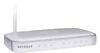 |
There are different versions of the Netgear routers, so you will need to check the label on the underneath of your router to find its model/version number, to ensure you use the correct command.
The following instructions assume that you haven't changed the routers default IP address which is 192.168.0.1 |
Step 1. - Put the Netgear into Debug Mode.
Logon to the router in your browser and then select this address:
http://192.168.0.1/setup.cgi?todo=debug
which should result in a screen which just says 'Debug enable'.
Step 2. - Open a Telnet session with the Netgear.
Exit from the web interface and open a command-line window.
Type: telnet 192.168.0.1
You should get a BusyBox welcome message to confirm that your telnet connection is established.
* If you need more detailed help on how to start a Windows telnet session,
see the tutorial How to Telnet into your router
Step 3. - Issue the relevant telnet command.
The telnet command that you need to use will differ depending on which version of the Netgear router that you have. Select your version number from the list below to continue.
| Netgear DG834, Netgear DG834G v1, v2, v3 |
Type in the command: cat /proc/avalanche/avsar_modem_stats
This will give you a stream of information about the ADSL connection. Scroll up and find a section something like this:
[Upstream (TX) Interleave path]
CRC: 0 FEC: 0 NCD: 1
LCD: 0 HEC: 0
[Downstream (RX) Interleave path]
CRC: 0 FEC: 0 NCD: 0
LCD: 0 HEC: 0
[Upstream (TX) Fast path]
CRC: 1 FEC: 68 NCD: 0
LCD: 0 HEC: 0
[Downstream (RX) Fast path]
CRC: 49 FEC: 0 NCD: 0
LCD: 0 HEC: 0
In this example the interleave figures are all zero, apart from the first NCD value, which always seems to be 1, so this router is in fast mode. If you see zeros in the fast path sections and other figures in the interleave sections, then interleave is on.
Thanks to Roseway for this information |
| |
| Netgear DG834Gv4, DG834GT, DG834PN, DG834N, DGN2000 |
Type in the command: # adslctl info --stats
which should give you the following info:
Status: Showtime Channel: FAST, (or Interleaved). |
| |
| Netgear DG834G v5 |
Type in the command: # adsl info
which should give you the following info:
Current trained adsl path : Interleaved (or FAST)
Example:
BusyBox v1.2.1 (2009.10.23-05:41+0000) Built-in shell (ash)
Enter 'help' for a list of built-in commands.
/ # adsl info
Current Training Status : Showtime
Current trained adsl mode : G.Dmt
Current trained adsl path : Interleaved
Downstream Bit Rate : 7616000 bps
Downstream Noise Margin : 12.0 dB
Downstream Attenuation : 4.0 dB
Upstream Bit Rate : 448000 bps
Upstream Noise Margin : 23 dB
Upstream Attenuation : 5.0 dB
/ #
Thanks to M Bryant. |
Page last updated Jan 2010
|
|



 Rate your ISP


