 |
|
 |
 |
Support this site |
 |
 Rate your ISP
|
 |
|
 |
 |
How to make an adsl/AOL DUN connection |
 |
||||||
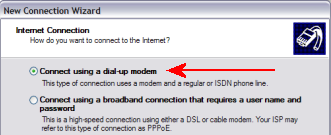
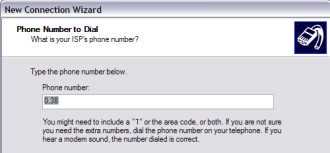
The following method enables you to make a new DUN (Dial Up Networking) connection that allows you to be able to connect to AOL if you are on adsl using a USB modem, without having to use ISP software. Once the connection is made, you can then use either IE or firefox
etc to browse. This method also works for most other ISPs. To create a new DUN complete the following steps:-
Congratulations you have just made a new DUN connection :) Drag a copy of the icon to your desktop which will create a new shortcut that you can simply click each time you wish to connect.
|

All rights reserved
Unauthorised reproduction prohibited

|
 |
|
|

|